English
 Czech
Czech
 German
 French
 Italian
 Japanese
 Polish
 19 min read
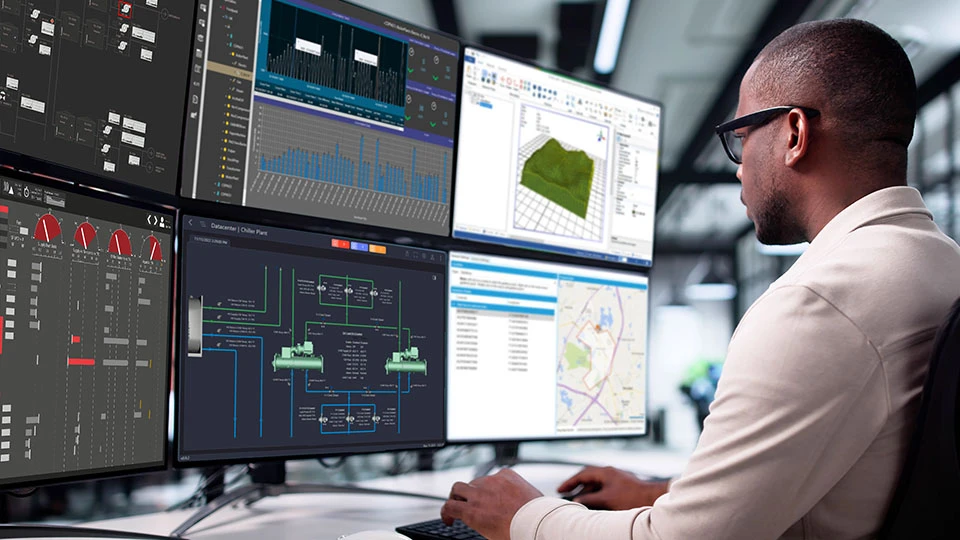
As HMI/SCADA systems approach their 40-year mark, more and more legacy platforms are reaching end-of-life—prompting a rising need for full SCADA replacements rather than incremental upgrades.
Historically, many organizations have found it easier to follow the SCADA upgrade path offered by their original SCADA vendor, making periodic software updates to stay current. But today’s new and next-generation SCADA platforms deliver significant advantages, including:
- Stronger cybersecurity protections
- Advanced data analytics capabilities
- Enhanced alarming and user notification features
- Flexible integration with enterprise business systems
- Modern user interfaces for easier navigation and data presentation
- Rapid development tools for faster deployment
These benefits make a compelling case for moving beyond legacy SCADA systems. A full SCADA replacement—rather than a simple upgrade—can deliver lasting improvements in performance, usability, and long-term scalability.
To ensure a smooth transition and maximize the value of your new SCADA system, we recommend using the following checklist to guide your upgrade or replacement strategy:
- Evaluate options for SCADA platforms and the communication software (drivers) used with each one
- Consider new data sources for SCADA system enhancements
- Consider the namespace: existing vs. new Unified Namespace (UNS)
- Evaluate and plan for analytics migration
- Identify new analytics for system enhancements
- Generate a plan for data archiving and historization
- Document existing alarm scenarios
- Review user authentication and security models
- Consider existing application integrations (report generation, notifications, etc.)
- Consider new system integrations for system enhancements
- Assess your reliability requirements
- Plan for efficient SCADA configuration with export and import tools
- Review and redesign graphic interfaces
- Choose your replacement SCADA solution carefully
- Plan for documentation of the new SCADA system
- Plan for operator training in the new SCADA system
- Plan for ongoing cybersecurity enhancements
- Plan for routine maintenance of the new SCADA system
To ensure a smooth transition and maximize the value of your new SCADA system, we recommend using the following checklist to guide your upgrade or replacement strategy
The Essential HMI/SCADA Replacement Checklist: What to Evaluate and Why
Each checklist item reflects a key decision point in your SCADA replacement journey. The sections below explain what to evaluate, why it matters, and how to move forward confidently.
Evaluate options for SCADA platforms and the communication software (drivers) used with each one
In the early days of SCADA, the safest bet was to select the SCADA solution that was offered by your control system vendor. That strategy ensured you received the best complete solution and system integration support.
For example, if your automation hardware solution was Allen Bradley or Rockwell Automation PLCs, then you would typically select FactoryTalk View software as your SCADA platform. If your automation included Siemens PLCs, you would likely gravitate toward SIMATIC WinCC SCADA software. If the automation hardware was a GE PLC, then iFIX SCADA or CIMPLICITY SCADA would be your first choice, etc.
However, open industrial standards, specifically OPC UA and MQTT, are now enabling the selection of SCADA software solutions that allow you to maintain a level of independence from a given control system automation vendor.
Communications software (drivers) is now available from both control system automation hardware suppliers, and third-party software suppliers, enabling high quality communications. Leading driver software suppliers include Mitsubishi Electric Iconics Digital Solutions and their partner Takebishi with DeviceXPlorer OPC Server, PTC’s Kepware with KEPServerEX OPC Server, Honeywell’s Matrikon with their OPC Server Suite, and Software Toolbox’s TOP Server, among others.
The existence of these suites of communication drivers have become the new standard for device connectivity, enabling one OPC Server to communicate through many protocols to various devices, and serving that data through a single high performance OPC Server interface to OPC client software. The latest version of OPC, OPC UA, is fully internet capable with both strong cyber-security and data encryption.
Newer OPC Server solutions also offer tools for rapid development, enabling the import of legacy namespaces from your automation equipment, even mapping these to asset models and new namespaces to meet the ISA-95 standard and other requirements.
Consider new data sources for SCADA system enhancements
With enhanced communications offered by newer SCADA software comes the ability to embrace additional data sources, delivering both high reliability and performance.
Modern data sources include data from the Industrial Internet of Things (IIoT), as well as sources from business systems such as those for asset management (AMS), computerized maintenance management (CMMS), manufacturing execution systems (MES), inventory management systems and more.
For data sources related to the IIoT, protocols such as OPC UA, MQTT, and REST interfaces are the norm. Modern SCADA solutions generally support these protocols, though the level of support can vary between platforms.
For Information Technology (IT) integrations, interfaces such as PC system APIs, SNMP, ODBC, OLE-DB, and other relational database standards are more common. A modern SCADA solution should include connectors for most, if not all, of these data sources.
Ideally, support should come in the form of end-user configurable interfaces rather than requiring custom programming for connectivity. Prioritize solutions that offer read and write capabilities and allow existing visualization objects to display and update relational database information—without the need for coding.
Consider the namespace: existing vs. new Unified Namespace (UNS)
In a modern SCADA system, the namespace—a structured naming system for organizing data points—is a critical element that must be clearly defined.
Historically, SCADA applications were often siloed and designed for specific process segments of an overall plant. Early namespaces were constrained by limited character counts and rigid formatting, making it difficult to scale or integrate across entire plant systems
Today’s SCADA platforms offer powerful namespace capabilities that support hierarchical conventions such as ISA-95, ISA-88, and other asset organizational frameworks. These systems allow you to implement a multi-layered namespace (e.g., Plant.Area.Line.Machine.Variable) that enables consistent structure and meaningful metadata to support intelligent data use and contextualization.
A key evolution in this space is the Unified Namespace (UNS) —a centralized, hierarchical model that organizes and standardizes data across devices, applications, and databases into a consistent and accessible format.
Acting as a single source of truth, the UNS enables real-time communication, seamless data integration, and full interoperability across systems. Modern SCADA platforms should support this model—even in large, distributed deployments—to provide unified access to both real-time and historical data.
Industry initiatives are actively working to standardize naming conventions. While most modern SCADA systems can accommodate any naming strategy, emerging standards aim to establish a consistent structure that promotes broader interoperability.
Notable efforts include those led by CESMII (The Clean Energy Smart Manufacturing Innovation Institute) in the U.S.A. and VDMA (Verband Deutscher Maschinen und Anlagenbau) in Germany. These organizations, in collaboration with the OPC Foundation, are developing naming conventions that enable automatic data discovery and configuration across platforms.
Standardizing the namespace will ultimately enable plug-and-play integration of data sources and their layered application software. Imagine, for example, a runtime calculation application that automatically discovers all items in your system that turn on and off—and instantly generates dashboards with runtime statistics and even aggregates these by machine and plant areas.
Evaluate and plan for analytics migration
All HMI/SCADA applications benefit from core functions such as monitoring, display, alarming, and historization of process variables. Many also rely on more advanced data analytics, for example, flow totalizations for custody transfer, equipment runtimes for maintenance, part counts to update inventory, or statistical process control (SPC) to improve quality and reduce scrap.
In the past, SCADA vendors often provided proprietary, product-specific analytics. While functional, those vendor-specific analytics made it difficult to replicate or migrate logic when replacing or upgrading SCADA software from one vendor to another vendor's solution. Put more simply, the analytics function blocks did not easily match across different vendor solutions.
Today’s modern SCADA platforms offer very flexible and centralized analytics that can be reused, adapted, and scaled more easily thereby streamlining migration and supporting long-term system flexibility. The ability to manage analytics centrally allows for greater efficiency during implementation or upgrades.
Modifications made to a centralized analytic can apply to all of its instances, and adding a new set of input variables can automatically instantiate the associated analytics. Tools like copy, paste, clone, multiply, export, and import further accelerate SCADA development and reduce errors when transitioning from legacy systems.
Identify new analytics for system enhancements
Modern SCADA platforms make it easy to configure powerful and dynamic analytics—enabling far more than just basic monitoring. You can now implement scenarios that incorporate real-time and historical data, support predictive maintenance, and even leverage forms of machine learning to identify normal operating modes and detect anomalies.
Because analytics needs vary by industry, flexibility in your SCADA system is essential. What works for building automation may not apply to water and wastewater. Likewise, manufacturing use cases often differ from those in oil and gas.
A modern SCADA should support third-party application accelerators—prebuilt analytic components from the vendor or the user community including system integrators and OEMs—that speed deployment and align with domain-specific requirements.
To ensure long-term adaptability and lower costs, prioritize platforms that allow end users to configure analytics without relying heavily on custom code. While system integrators can provide valuable support, SCADA software should not require extensive scripting or custom programming to deliver advanced functionality. Code-heavy solutions are typically more expensive to develop, harder to troubleshoot, and more difficult to maintain over time. The Total Cost of Ownership (TCO) will be much higher.
Generate a plan for data archiving and historization
HMI/SCADA solutions vary widely in how they handle data historization. Some systems function as basic data loggers, storing information in proprietary files or standard relational databases. Others include more advanced industrial data historians—specialized tools designed to collect, compress, store, and manage time-series data from industrial processes.
Modern data historians apply compression techniques to minimize storage requirements and enable efficient long-term archiving. They also support powerful data aggregation modes, which are especially useful for layered analytics and reporting. For instance, a user might query an entire day’s worth of data but request the result as 24-hourly averages to simplify analysis.
Look for a SCADA platform that streamlines historian configuration—allowing you to import tag lists and define archiving scenarios quickly. Advanced SCADA systems also automate backup routines, generate archive files, and support large-scale data imports for migrating historical records from legacy solutions.
Just as important is tight integration between the SCADA platform and its historian. Ideally, both will share licensing and security structures and offer seamless data access for real-time analytics. Your historian should also support standards such as OPC HDA (OPC Historical Data Access) and provide automated exports in CSV or other common formats to facilitate integration with third-party tools. For more detail, see the blog post Why Industrial Data Needs the Right Storage Strategy—and How GENESIS SCADA Software Delivers.
Document existing alarm scenarios
Alarm generation and management is one of the most varied aspects of SCADA platforms. Historically, vendors treated alarm creation and management as proprietary features, often using them as key differentiators in their SCADA offerings. As a result, alarm features often differ significantly across systems.
Start by documenting the capabilities of your current SCADA platform. Consider creating an alarm philosophy document along the lines of the ISA-18.2 alarm management standard. At minimum, identify which alarm behaviors, configurations, and workflows are essential to preserve or improve. This assessment will guide your transition and help ensure continuity.
Modern SCADA platforms typically offer highly flexible alarm configuration and management tools. Common features include centralized configuration, alarm enabling/disabling, shelving, suppressing, and more. Differences between platforms often emerge in the user interface—such as the ability to filter or query alarms by equipment type or plant area.
Strong SCADA alarm notification capabilities are now standard, including support for both desktop and mobile interaction. To accelerate deployment and reduce manual effort, prioritize SCADA platforms that offer tools for importing, exporting, cloning, copying, and multiplying alarm configurations.
Review user authentication and security models
Most SCADA platforms provide built-in tools for managing users and controlling access. However, the real differences emerge in larger or more regulated environments where SCADA systems must integrate with enterprise-level security solutions such as Windows Active Directory, LDAP, SAML 2.0, OIDC, and Microsoft Entra ID. These systems enable both individual and group-based permissions, single sign-on (SSO), along with enforcement of password policies for strength, reuse, and expiration.
Certain industries also impose additional security requirements. For example, pharmaceutical applications must comply with FDA regulations such as 21 CFR Part 11, while power and utilities sectors follow NERC CIP standards. Other organizations may require support for smart cards, biometric authentication, or other advanced identity management systems.
As you evaluate new SCADA platforms, make sure these meet all your authentication and cybersecurity needs—both current and anticipated.
Consider existing application integrations (report generation, notifications, etc.)
In the early days of SCADA, software platforms primarily focused on operational control, often overlooking advanced analytics and notification capabilities.
This gap created opportunities for third-party vendors to provide specialized add-ons for reporting and alerting. Common examples include SmartSite’s XLReporter for reporting or WIN-911 for alarm notifications, and Ocean Data Systems’ Dream Report, for data analytics and presentation.
Today’s modern SCADA platforms have evolved significantly, offering built-in capabilities for reporting, real-time notifications, and workflow management. These enhancements may reduce or eliminate the need for third-party tools, especially in systems that now support multi-step workflows and data bridging for integration with external IT platforms.
When planning a SCADA upgrade or replacement, assess which legacy integrations are still necessary and whether a modern platform can natively fulfill those functions.
Consider new system integrations for system enhancements
Modern SCADA platforms go far beyond traditional reporting, notification, and IT integration. Today, integration is increasingly distributed—spanning cloud platforms, Software as a Service (SaaS) application, and advanced technologies like Digital Twins, Artificial Intelligence (AI), and Machine Learning (ML).
A next-generation SCADA solution should support a wide range of standard interfaces and offer the ability to structure and transmit data transactions to external systems. While many reporting and alerting tasks can now be handled within the SCADA platform itself, the real opportunity lies in seamless, scalable integration with emerging technologies that enhance operations and insight.
Look for solutions that offer built-in, configurable connectors, not custom-coded integrations that are expensive to build and difficult to maintain.
Assess your reliability requirements
Every SCADA deployment must account for failure, whether in field device communications, networks, internet connectivity, hardware, or user interfaces. Start by identifying what types of failure your operations can tolerate and which require mitigation.
Based on your tolerance levels, determine the appropriate redundancy strategies. These might include redundant OPC servers, dual network paths, or fault-tolerant hardware such as systems from Stratus (now Penguin Solutions). Full system redundancy can significantly enhance resilience, but SCADA platforms differ widely in how they manage it—making this a critical area for evaluation.
Prioritize SCADA software that delivers seamless, built-in redundancy across all components. Look for features like store-and-forward data buffering to prevent loss during disruptions and automatic failover that keeps user interfaces operational. Also, ensure the system provides configuration options for how and when the primary server resumes control, including safeguards to verify system readiness before switching back.
Select a SCADA solution that aligns with your operational goals, reliability requirements, and long-term resilience strategy.
Plan for efficient SCADA configuration with export and import tools
Setting up a new SCADA system requires careful planning and implementation precision—and repetitive manual tasks often increase the risk of configuration errors. To streamline deployment and reduce those risks, select SCADA software with strong export and import capabilities that support automation throughout the setup process.
Export and import functionality becomes especially valuable during system migration. Modern SCADA platforms typically store configuration data in accessible formats, such as relational databases. This structured storage simplifies the extraction, editing, and reuse of configuration elements during transition.
SCADA platforms that support external productivity tools allow teams to automate more of the migration effort. For example, utilities and templates developed by system integrators can automatically generate analytics, dashboards, alarms, reports, and historical data archiving for new assets as they come online.
Look for SCADA systems that offer runtime configuration and support multi-user editing. These features allow teams to make real-time updates without restarting the system, avoiding disruptions enabling multiple users to work concurrently and as a result, accelerating deployment and minimizing downtime.
Review and redesign graphic interfaces
Graphic interface technology has evolved dramatically, making it essential to review and consolidate your existing SCADA visualizations. A modern SCADA platform supports “Any Glass” access—enabling operators to interact with the system from desktop computers with multiple monitors or mobile devices like phones and tablets, regardless of browser or operating system.
Outdated technologies such as ActiveX, Silverlight, and Java-based solutions are being phased out in favor of HTML5-based interfaces. These modern alternatives offer greater security, performance, and cross-platform compatibility. Some platforms also provide 3D rendering capabilities, enabling you to create immersive, high-quality user experiences—which can be especially valuable in building automation and facilities management. OEMs frequently use 3D graphics to visually differentiate their equipment in competitive markets.
SCADA platforms now include specialized visual elements such as:
- Historical data displays for time-based insights
- Operator annotations to capture context and actions
- Relational database integration for data-driven decisions
- Heatmap visualization of datasets for regional geospatial analysis
- Sankey diagrams for visualizing the flow of energy, water, or materials
Many platforms go further by dynamically generating visualizations based on selected assets or areas. This approach reduces manual effort and ensures that operators always have access to accurate, relevant displays tailored to their current context.
Choose your replacement SCADA solution carefully
SCADA technology has evolved significantly in recent years. Modern platforms now feature updated architectures, streamlined development tools, and robust integration capabilities. Underlying technologies have been modernized to improve performance, scalability, and adaptability across industries.
Cybersecurity is no longer optional. Most modern SCADA software now follows a “secure by default” approach, embedding protections into the core design to support compliance, reduce risk, and safeguard critical infrastructure. Relevant standards include IEC 62443 and the EU Cyber Resilience Act. Make sure your SCADA vendor can address these standards—both today and as requirements evolve.
This related blog offers additional insights to help you research replacement HMI/SCADA systems: Choosing SCADA (Supervisory Control and Data Acquisition) - Selection Criteria and Guidelines.
Plan for documentation of the new SCADA system
As the saying goes, “The job isn’t complete until the paperwork is done.” That’s especially true for SCADA systems. Effective documentation helps teams plan upgrades, understand existing configurations, onboard new users, and ensure long-term maintainability.
Before making changes, review current configurations and create a detailed action plan that outlines what needs to be updated. This process not only supports efficient change management but also serves as a valuable learning tool for team members who may not be directly involved with the initial SCADA system implementation.
The method of documentation depends heavily on how the SCADA system is configured. Systems that rely on custom scripting or programming often lack standardized formatting, making documentation inconsistent and difficult to manage. In contrast, modern SCADA platforms that use structured, configurable settings—often stored in tables or relational databases—enable clearer, more consistent documentation.
Look for SCADA software that includes built-in documentation tools or offers the ability to easily export configuration data into readable formats. These features will make it easier to generate, maintain, and update system records as your SCADA evolves.
Plan for operator training in the new SCADA system
We now live in an online world, so training should be available—at minimum—through a free online university. In-person courses still offer value, particularly for collaborative learning or for addressing complex applications.
Your SCADA vendor should provide access to a trial version of the software, allowing your team to install it and learn through self-paced, hands-on exercises. This approach not only accelerates familiarization but also supports long-term system adoption by new and existing users.
Online and in-person training options should be clearly documented, easy to access, and designed to support a wide range of user experience levels—from operators and engineers to system integrators and IT staff.
Plan for ongoing cybersecurity enhancements
“Set and forget” is no longer a viable approach to SCADA system security. Modern SCADA platforms offer increased connectivity, enabling real-time notifications through email, SMS, and other channels, as well as cloud-based analytics. With this added connectivity comes greater responsibility to maintain and secure your system continuously.
Establish a process for applying software patches and updates across your entire solution stack, including the SCADA software, operating system, and all third-party components. Ongoing maintenance is essential to protect your system from emerging threats.
Familiarize yourself with cybersecurity standards developed specifically for industrial control systems. These include IEC 62443 (ISA/IEC 62443), NIST SP 800-82 (Guide to Industrial Control Systems Security), NERC CIP (Critical Infrastructure Protection for power and utilities), and CISA ICS (Cybersecurity and Infrastructure Security Agency) recommendations.
Before selecting a new SCADA solution, ensure the vendor has a strong, verifiable commitment to supporting these standards and maintaining cybersecurity as a core priority.
Plan for routine maintenance of the new SCADA system
All software systems require regular upkeep, and SCADA is no exception. Routine maintenance tasks should include reviewing user accounts and access permissions, updating aging passwords, assigning and validating group authorizations, monitoring disk space, assessing system performance, managing historian archives, and performing regular backups.
Many modern SCADA platforms include built-in health monitoring and can alert you to system anomalies. These also support IT protocols such as SNMP v3, enabling integration with broader infrastructure monitoring tools. This allows you to track the health and operation of network-attached storage (NAS), uninterruptible power supplies (UPS), bridges, routers, printers, and other connected devices, ensuring continued system reliability.
Final Takeaways for Choosing a Future-Ready SCADA System
Replacing an aging SCADA system is a strategic move that allows organizations to take full advantage of modern advancements, especially as legacy solutions reach their end-of-life after nearly 40 years of use. Today’s SCADA platforms offer significant improvements, including enhanced cybersecurity, advanced analytics, seamless enterprise integration, and more intuitive user interfaces.
This blog Legacy SCADA Software Replacement – Upgrade Guidelines and Checklist outlines key steps for a successful transition. These include identifying current and new data sources, adopting a Unified Namespace (UNS) for standardized data access, upgrading analytics capabilities to support predictive maintenance, ensuring reliable data historization, and strengthening alarm systems, security models, and overall system resilience through redundancy.
Moreover, this blog further emphasizes the importance of using modern connectivity standards such as OPC UA and MQTT, investing in operator training, implementing continuous cybersecurity improvement practices based on frameworks like IEC 62443, and performing routine system maintenance.
By carefully selecting your next SCADA platform and planning a structured migration, you position your organization for a smooth transition and a future-ready, digitally transformed operation. Focus on:
- Data export and import – Ensure historical and configuration data can be transferred efficiently <
- Updated visualization tools – Leverage modern graphics and user interface improvements
- Complete documentation – Support maintainability and scalability with clear, consistent system records
These pillars form the foundation of a successful migration strategy that minimizes risk and maximizes long-term value.
Your Future-Ready SCADA Starts Here
If you're evaluating your next SCADA system, we encourage you to take a closer look at GENESIS by Mitsubishi Electric Iconics Digital Solutions—a future-ready platform built for scalability, security, and performance.
Have questions or want to talk to a SCADA expert? Contact us to start the conversation.

Written By:
Recent Posts
Driving Digital Transformation in Southeast Asia’s Oil and Gas Industry

Smarter Building Operations Start with Fault Detection and Diagnostics (FDD) Software
Key Terms Defining Leading Industrial Automation Software for SCADA, BAS, FMS, EMS, MES, DCIM and More
5 Facility Management Nightmares a Building Operating System Can Fix

What Is Universal Industrial Automation Software for SCADA, BAS, EMS, DCIM, MES, and More